
Push Notifications Guide
Integrate Apple Push Notifications (APNs) with the StreamLayer iOS SDK for Watch Party invites and chat messages. Covers device token upload, notification handling, and notification channels.
Push Notifications Guide
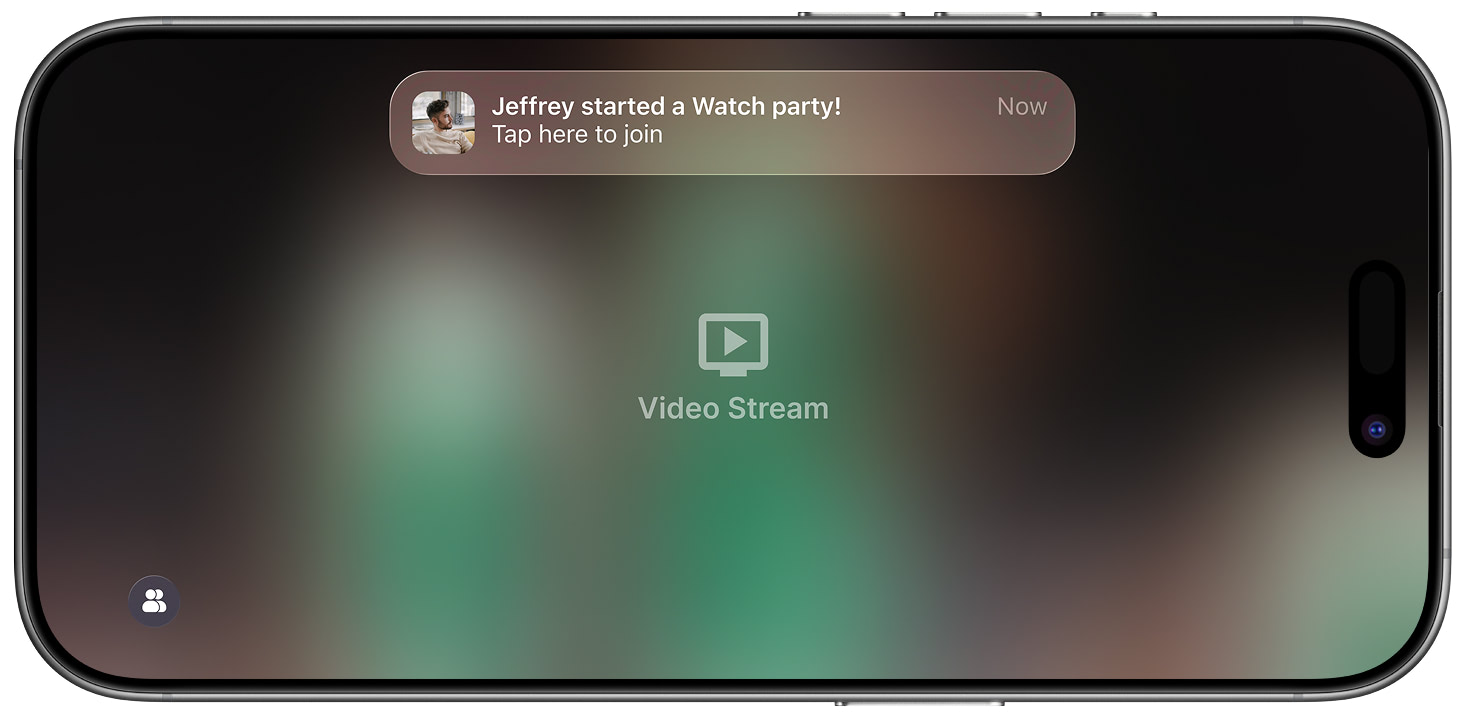
The StreamLayer SDK supports push notifications via the Apple Push Notification Service (APNs). StreamLayer uses push notifications to notify users about incoming chat messages and Watch Party invitations.
Prerequisites
You need a valid APNs certificate for your application with push notifications enabled. Configuring your project for APNs is beyond the scope of this document — see the latest Apple documentation for details.
Integration with StreamLayer
The StreamLayer service needs your users' APNs device token to send push notifications. If a user does not consent to push notifications, StreamLayer cannot send notifications to their device.
To upload the device token, use StreamLayer.uploadDeviceAPNsToken(deviceAPNsToken: token) to register your host app with the StreamLayer service. When a push notification is received, call StreamLayer.didReceiveRemoteNotification(user:userInfo) to check if the SDK should process it.
Example Code
Here is an example that extends the AppDelegate for push notifications:
import UIKit
import UserNotifications
import StreamLayerSDK
import RxSwift

/// SDK key can be created in the StreamLayer admin panel. Check the official documentation for the relevant link.
/// You MUST use your own key.
let sdkKey = "YOUR_SDK_HERE"

@UIApplicationMain
class AppDelegate: UIResponder, UIApplicationDelegate, UNUserNotificationCenterDelegate {

  fileprivate let window = UIWindow()
  fileprivate var appCoordinator: AppCoordinator?
  fileprivate let disposeBag = DisposeBag()

  func application(_ application: UIApplication, didFinishLaunchingWithOptions
    launchOptions: [UIApplication .LaunchOptionsKey: Any]?) -> Bool {

    UITabBar.appearance().tintColor = .black

    initiateStreamLayer()

    let dependency = Dependency(authService: AuthService())
    appCoordinator = AppCoordinator(window: window, dependency: dependency)
    appCoordinator?.start().subscribe().disposed(by: disposeBag)

    return true
  }
Handle the notification when it arrives:
// Work with received notification
  func userNotificationCenter(_ center: UNUserNotificationCenter, didReceive response: UNNotificationResponse, withCompletionHandler completionHandler: @escaping () -> Void {
    // send notification's info to StreamLayer SDK
    StreamLayer.didOpenReceivedNotification(center, userInfo: response.notification.request.content.userInfo)
    completionHandler()
  }
Notification Channels
The StreamLayer SDK creates two notification channels in your app settings:
- StreamLayer — General SDK notifications
- StreamLayer Watch Party — Watch Party-specific notifications
You can also customize notification settings inside the StreamLayer Element's settings.
User Receives a Notification
Related
- Deep Linking Guide — Handle push notification deep links
- Watch Party — Overview of the Watch Party feature
Updated about 1 month ago