
People
Invite team members to your StreamLayer Studio organization and assign Administrator, Member, or Viewer roles to control access and permissions.
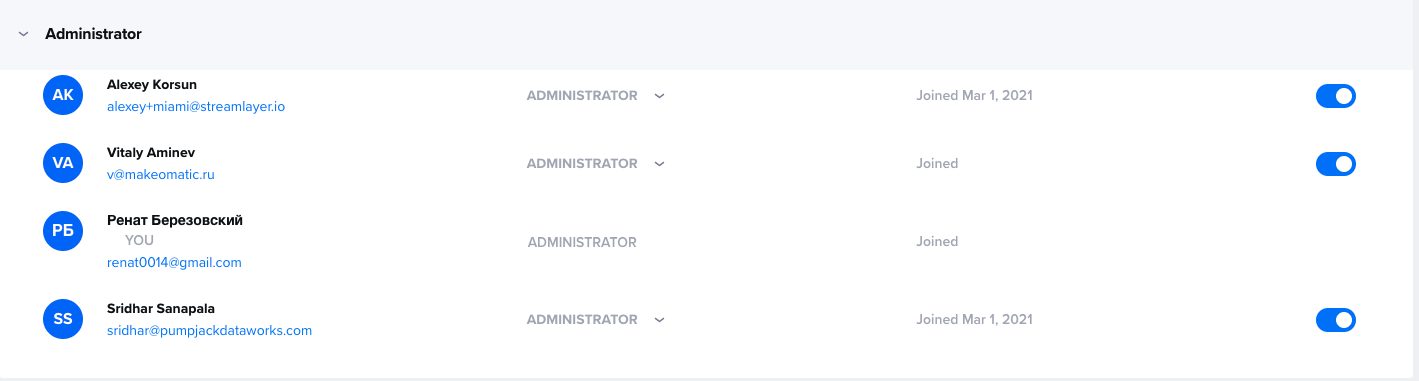
Team members need to be invited to an organization before they can publish content. Under Settings in StreamLayer Studio, click on the People and Invitation Setup button in the Admin Panel to view activated and deactivated users and begin configuration.
Inviting New Users
To send someone an invite to your organization. Note only ADMINISTRATORS can add new users.
- Click Invite Team Member Button.
- Enter their email address and assign them as an administrator, member, or viewer.
- If you wish to invite multiple people at once, select 'invite many at once'.
- Separate invitees' email addresses by commas or new lines and note that all invitees must assume the same role.
- Click invite to send email invitation.
- Administrator - Can do most things, update settings, and other admin related activities.
- Member - Part of the team. Members can add, edit, and collaborate on all work.
- Viewer - Can search through and view your team's work, but not perform any edits.
Related
- Developer Settings — Manage SDK keys, push notifications, and integrations
- About StreamLayer Studio — Platform overview and capabilities
- Managing Events — Create and manage events in your organization
Updated 8 months ago