
Event Triggers
Set up Event Triggers in StreamLayer Studio to auto-activate promotions and game content based on live stats feeds with thresholds, limits, and looping.
StreamLayer’s interactive advertising platform allows clients to unlock significant new revenue by introducing relevant, contextual interactive advertising units directly into live games and shows. These promotions are powered by events in the game detected by live stats feeds synced to the video player and data-delivered at scale.
Clients will use StreamLayer Studio to setup event triggers for merchandise promotions and lower funnel interactive ads. For example, in the video above, Buffalo Bills fans receive a Budweiser offer when there is a play for 10+ yards. These triggers can also be used to auto-activate poll, trivia, and prediction questions in addition to insights or social highlights.
Triggers can be set on any card type in StreamLayer Studio, but most commonly used: Promotions. On each card, there is a tab at the top called 'Activation Triggers' where these event triggers can be configured.
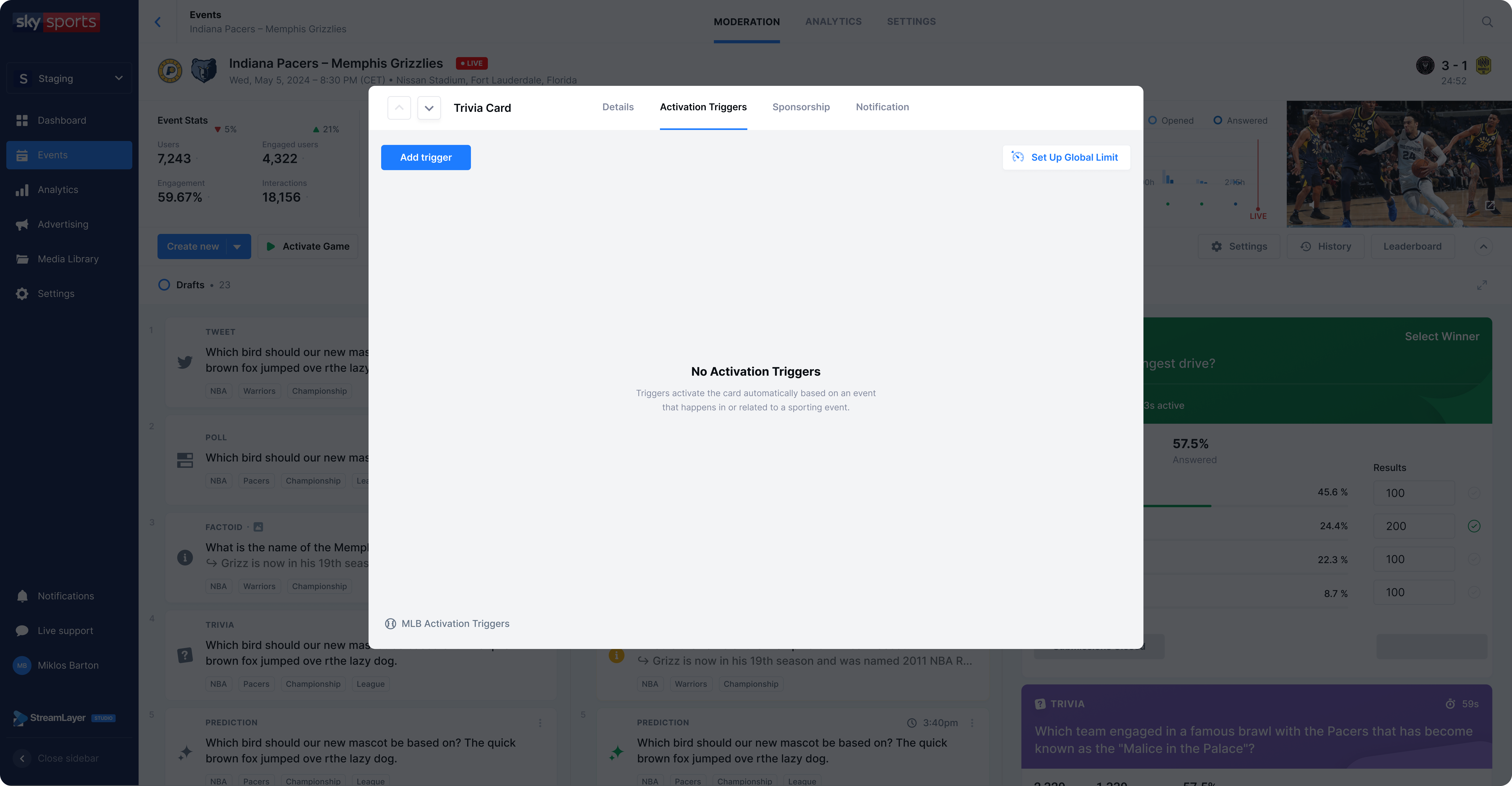
Configuration Steps
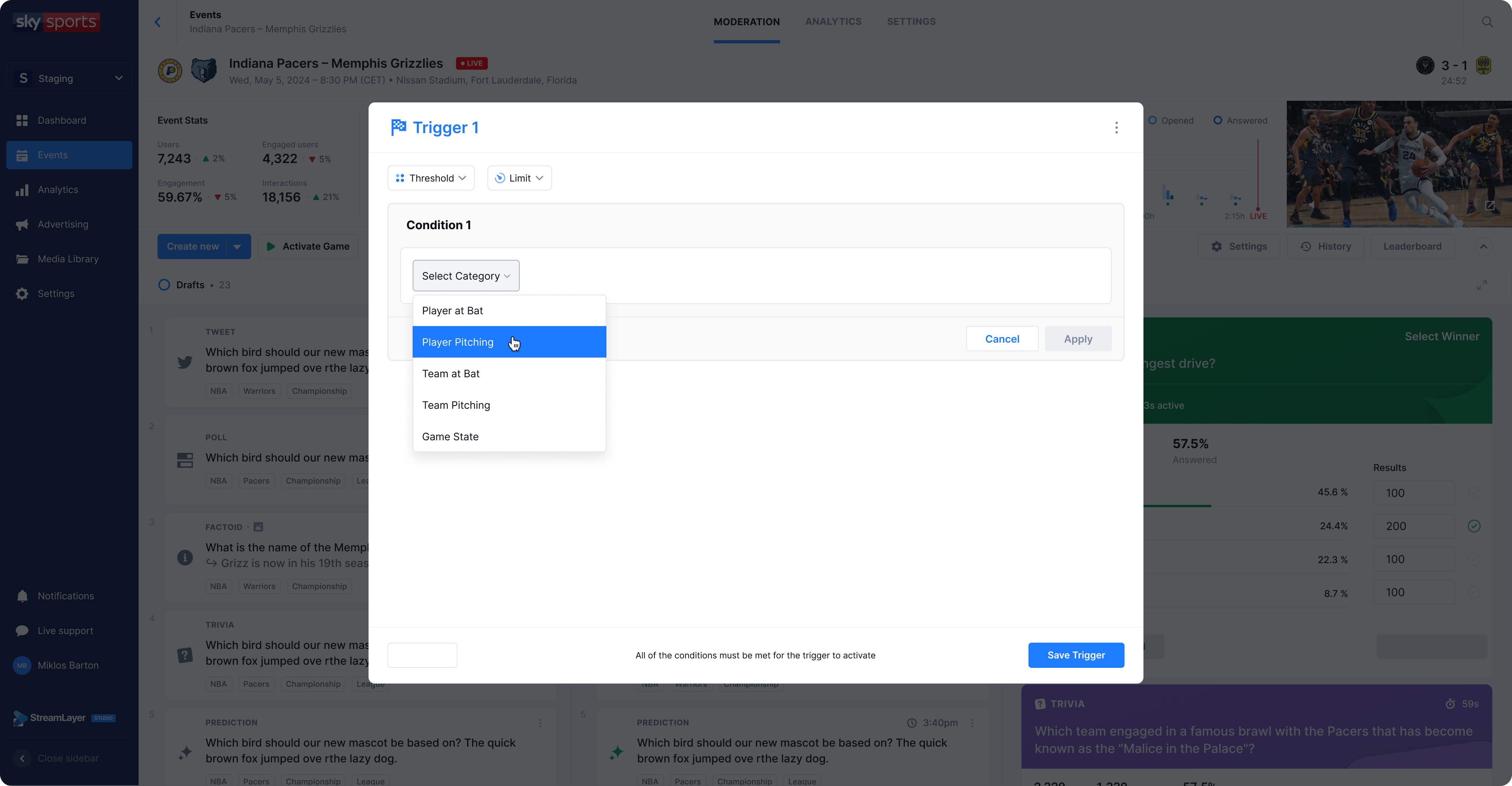
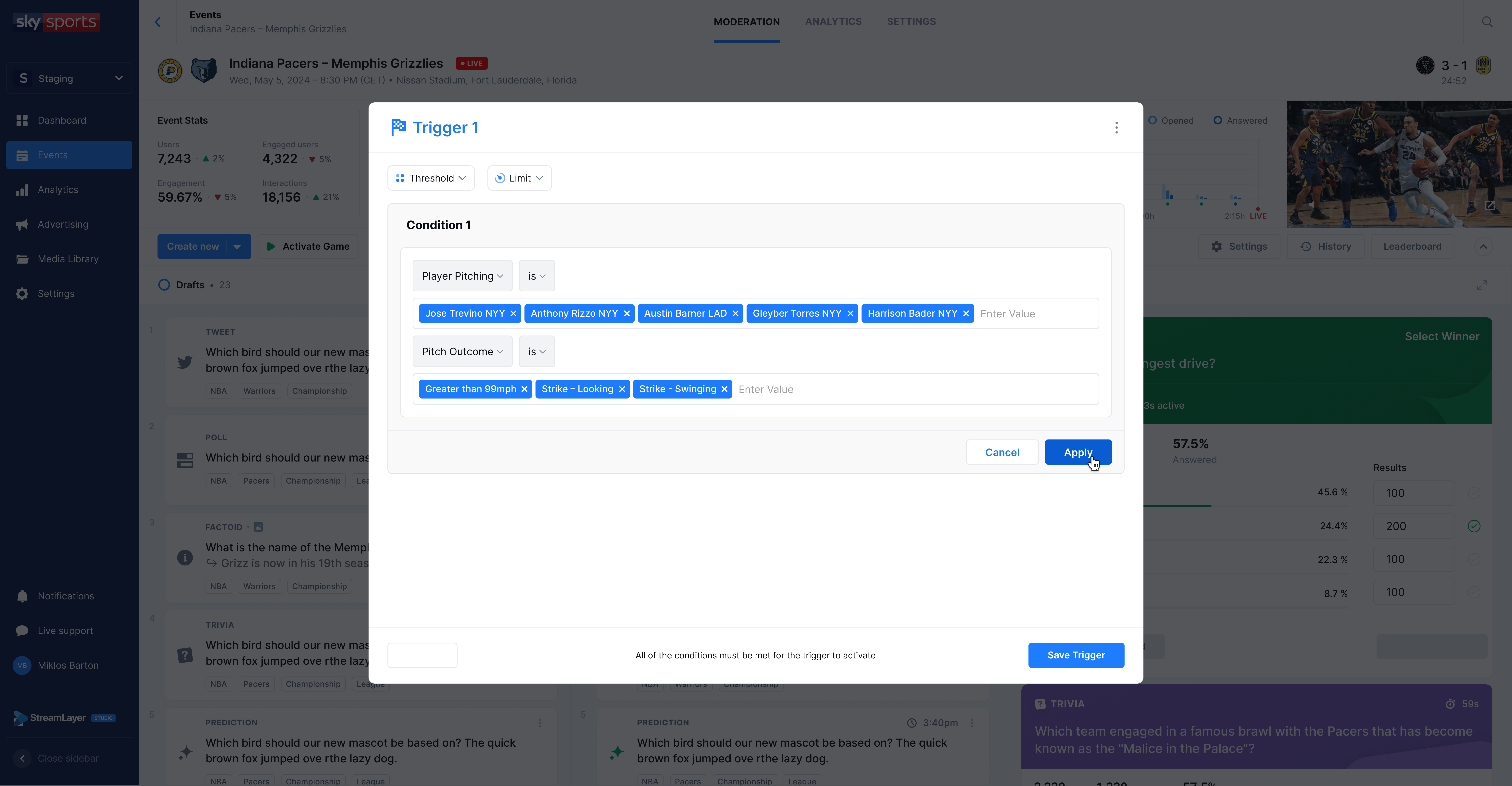
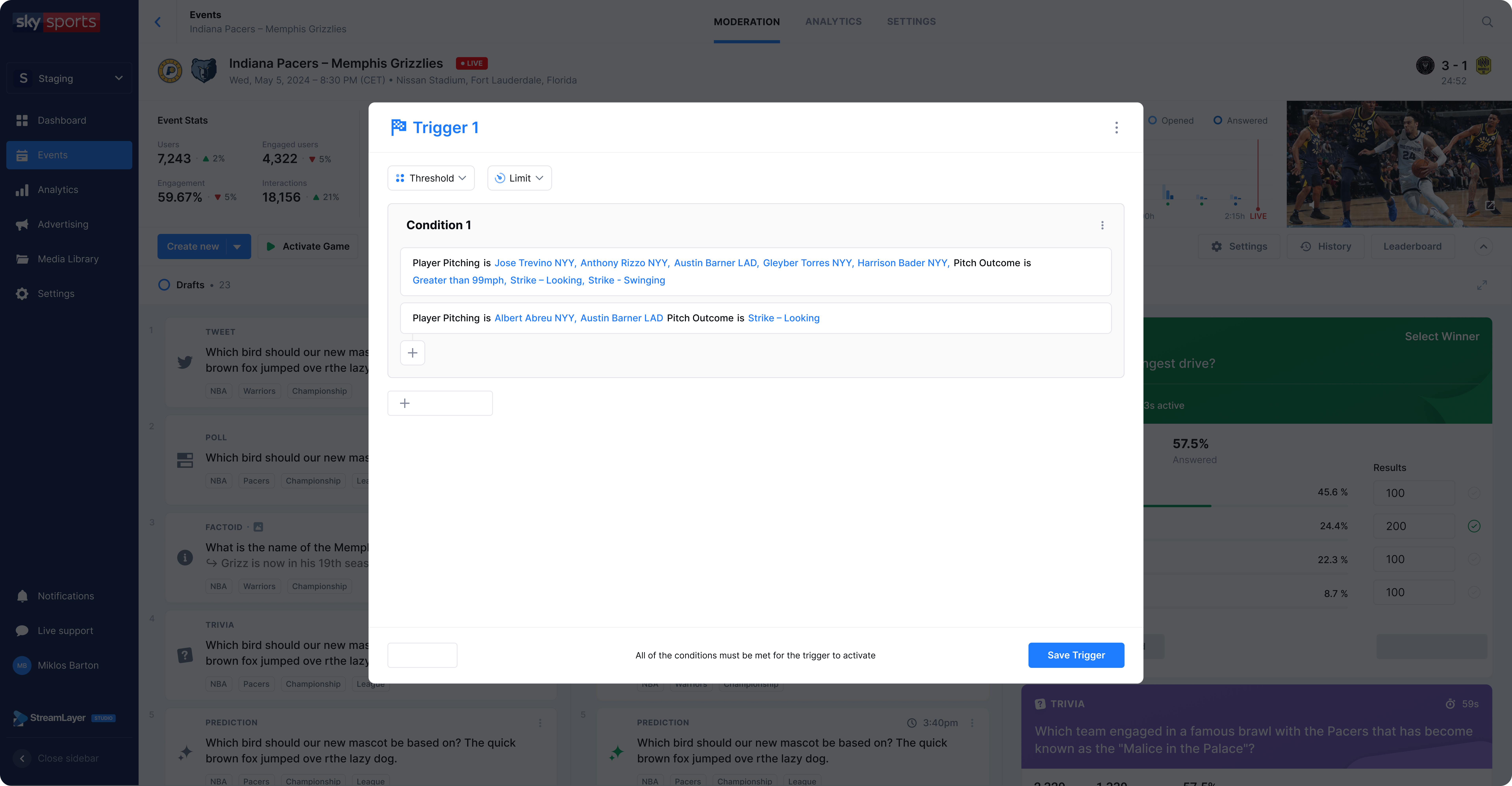
- Write your first condition. Moderators can write multiple conditions to create AND or OR statements within the same activation trigger. The categories and players are automatically available based on the clients preferred live statistics feed, which has been integrated into StreamLayer's backend.
To further define when a card should be activated via an event trigger, moderators can set thresholds or limits.
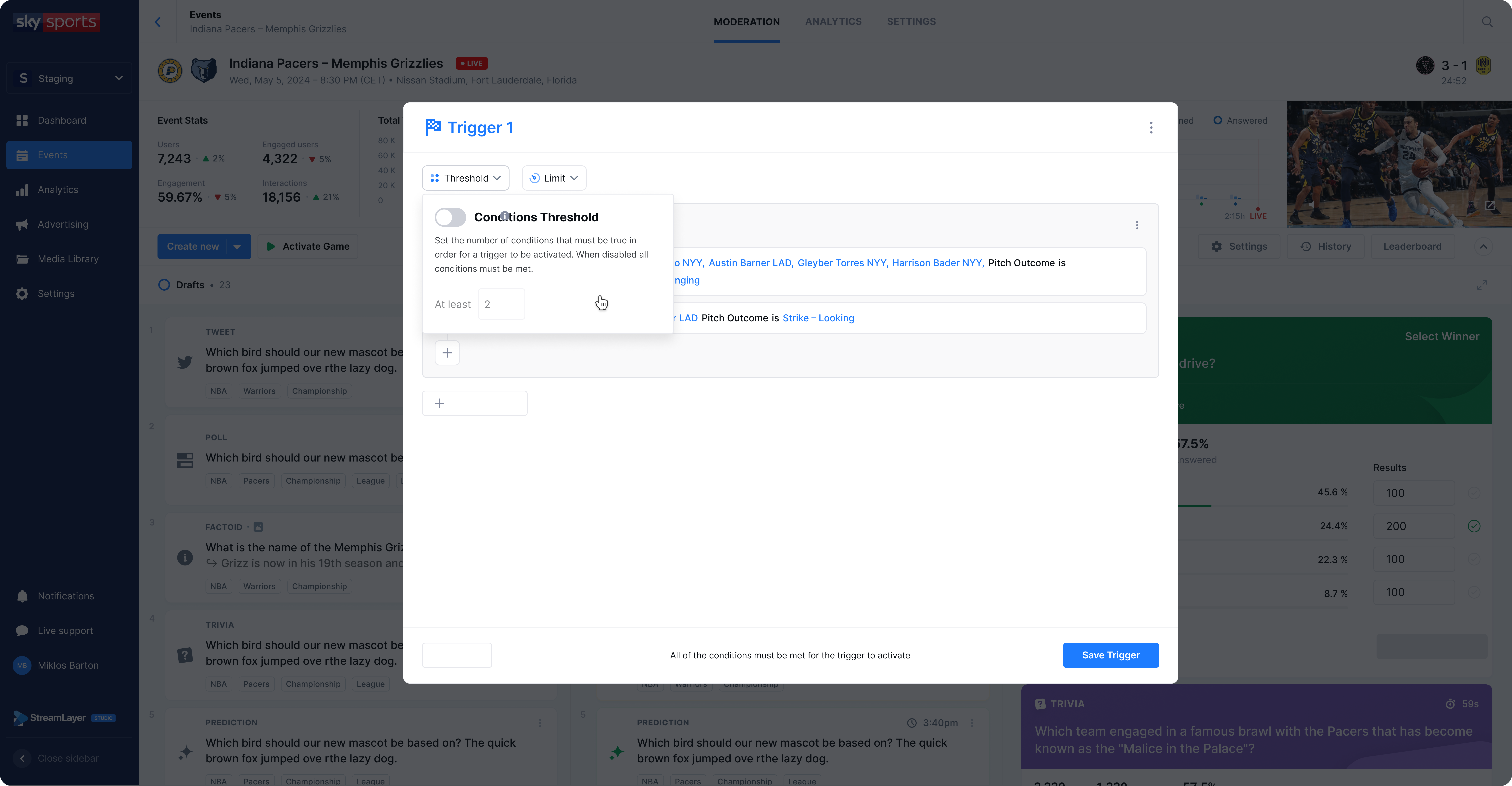
- Thresholds are used when there are multiple conditions set for a trigger. This indicates how many conditions must be true in order for the trigger to activate. For example, a card could have 3 possible conditions, and only 1 needs to occur for activation.
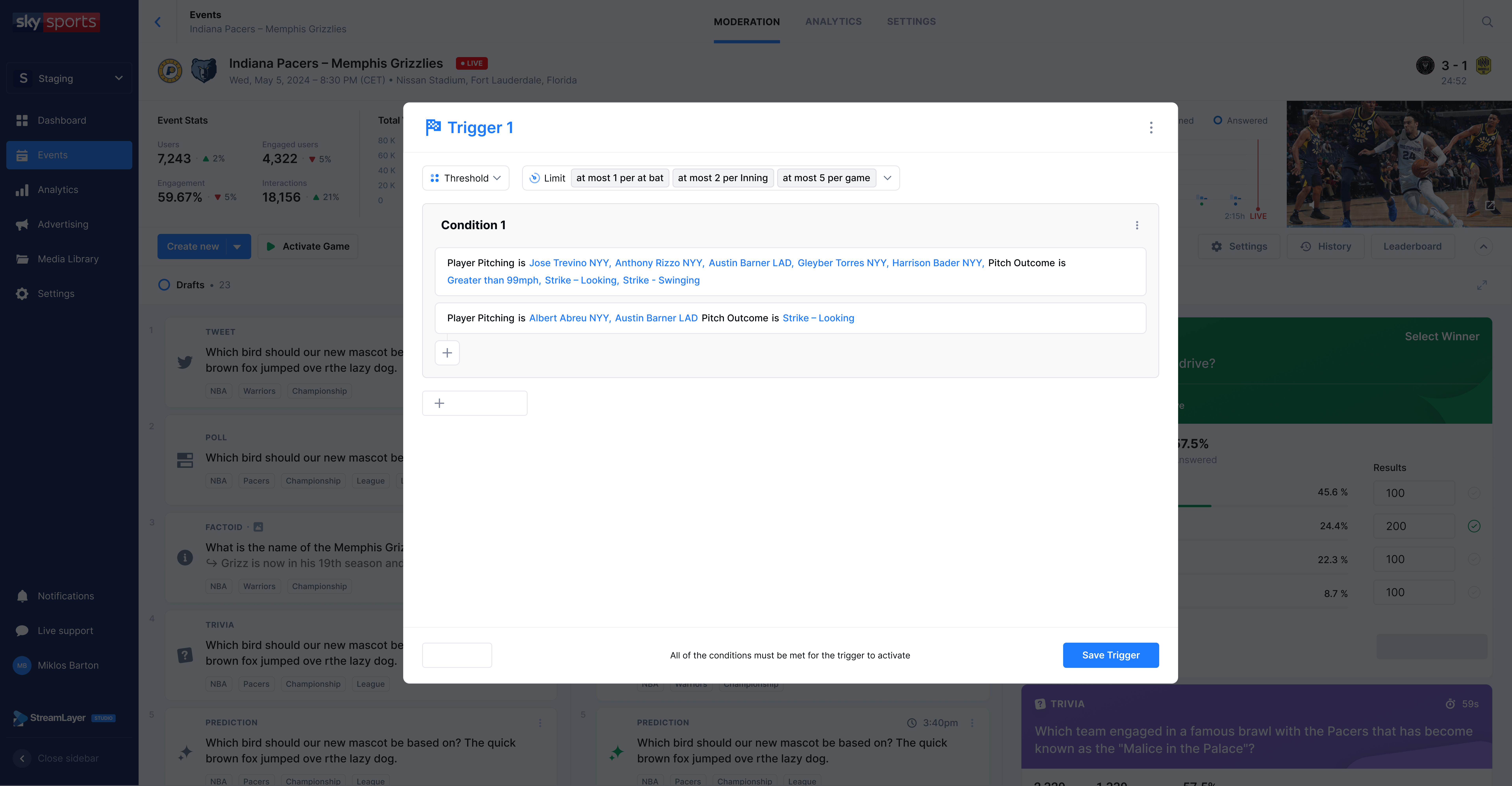
- Limits are helpful so that viewers do not get the same content or promotion too many times. They are set on an individual event trigger and are often used when an outcome is likely or happens often in a game or match. For example, at most activate 3 cards per inning where the trigger is a strikeout. Limits indicate how frequently that card can be automatically activated via the configured event trigger.
- Global limits are used when multiple triggers are set up to activate one card. For example, activate this promotion if there is a strikeout, hit, or home run in this inning. They are set up against all triggers to spread out card activations over the course of a game as well as to prevent a card from being activated too many times.
Thresholds
Looping
Related
- Automation Capabilities — Overview of all automation features
- Auto-Post overview — Understand cadence-based activation of queued content
- Moderation - Promotions — Create the promotions that triggers activate
Updated about 1 month ago