
Public Chat
StreamLayer Public Chat provides authenticated live messaging for events with threads, reactions, link previews, and customizable themes.
Note: This feature is available on mobile (iOS, Android, React Native) and web. On CTV platforms, enable a second-screen setup so viewers can participate from their phone while watching on TV.
StreamLayer Public Chat lets any authenticated viewer join a live messaging channel for a particular stream or event. Viewers can participate in real-time conversation alongside the video without leaving the experience.
Key Features
- Offline support — Send messages, edit messages, and add reactions while offline; they sync when connectivity returns.
- Link previews — Automatically generated when a URL is shared.
- Commands — Type
/to use commands like/giphy. - Reactions — Long-press any message to add a reaction.
- Attachments — Use the paperclip button to attach images and files.
- Edit messages — Long-press your own message for editing options.
- Threads — Start a thread to reply to any message.
- Emoji support — Full emoji library available.
- Invite friends — Share a link to bring friends into the chat.
Using Public Chat
Step 1 — Find the Public Chat icon in the submenu
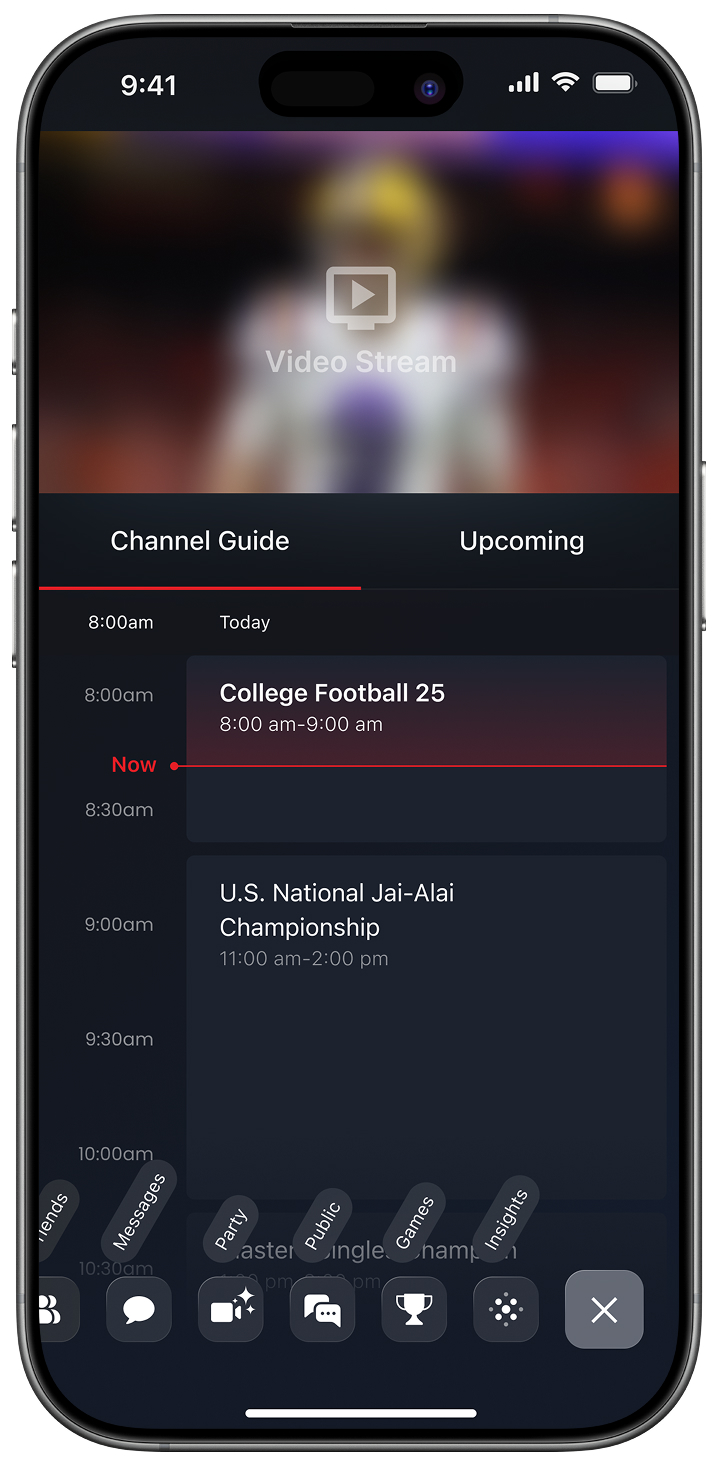
Exposed Menu
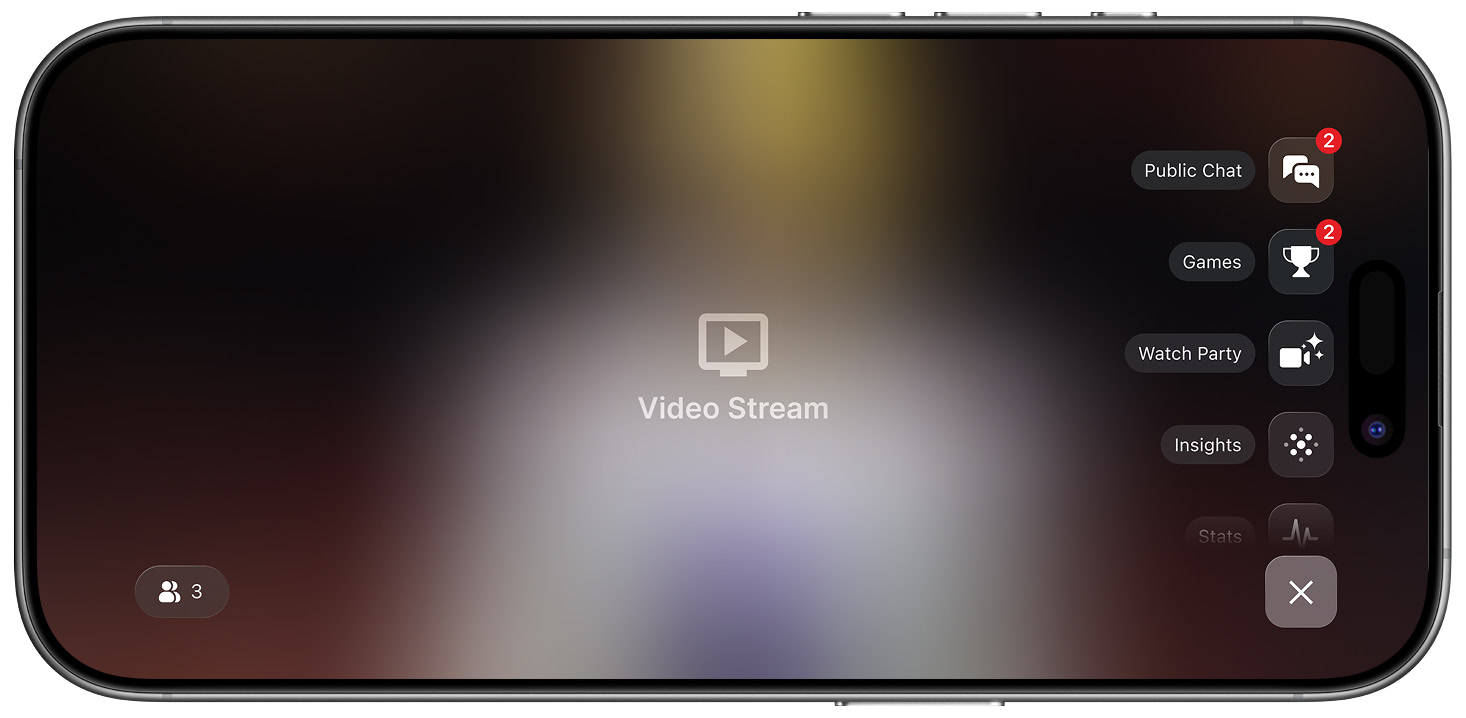
Exposed Menu
Step 2 — Choose a channel and join the conversation
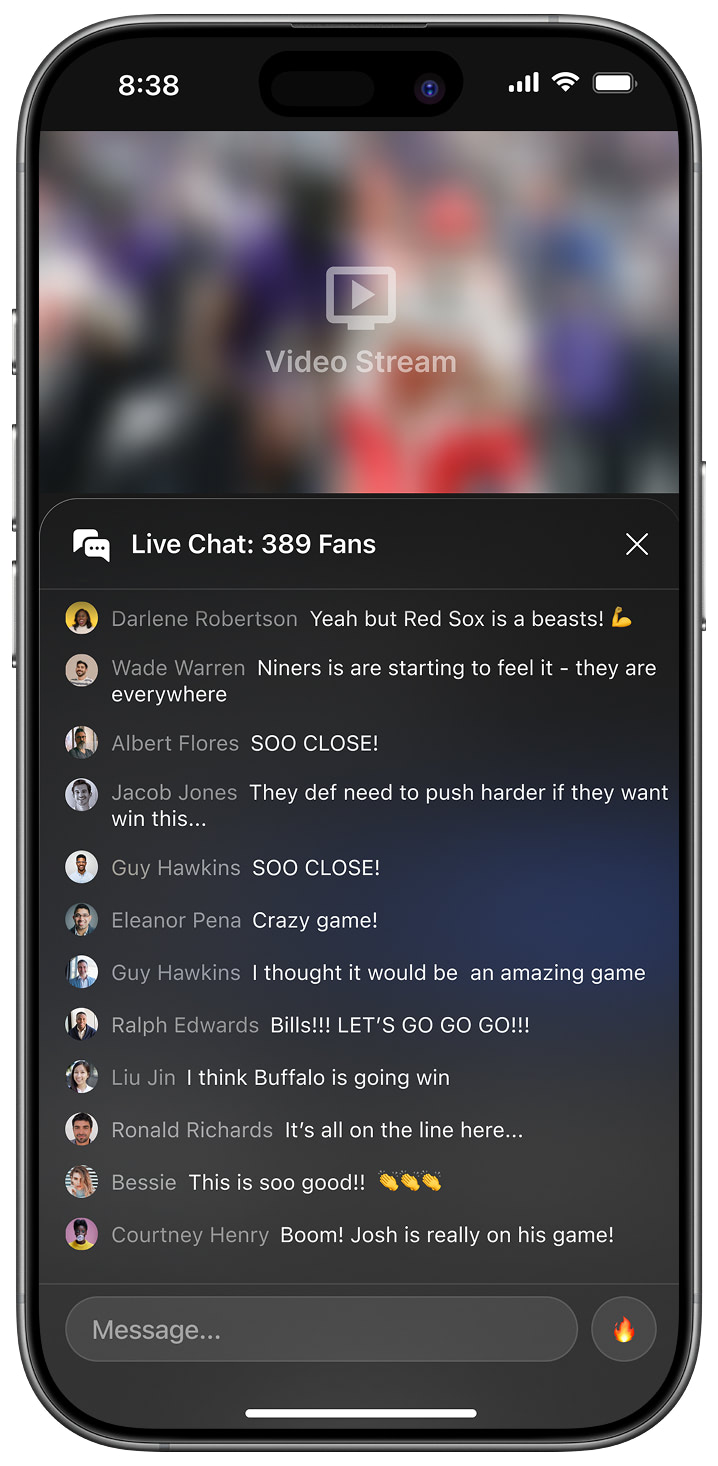
Default View
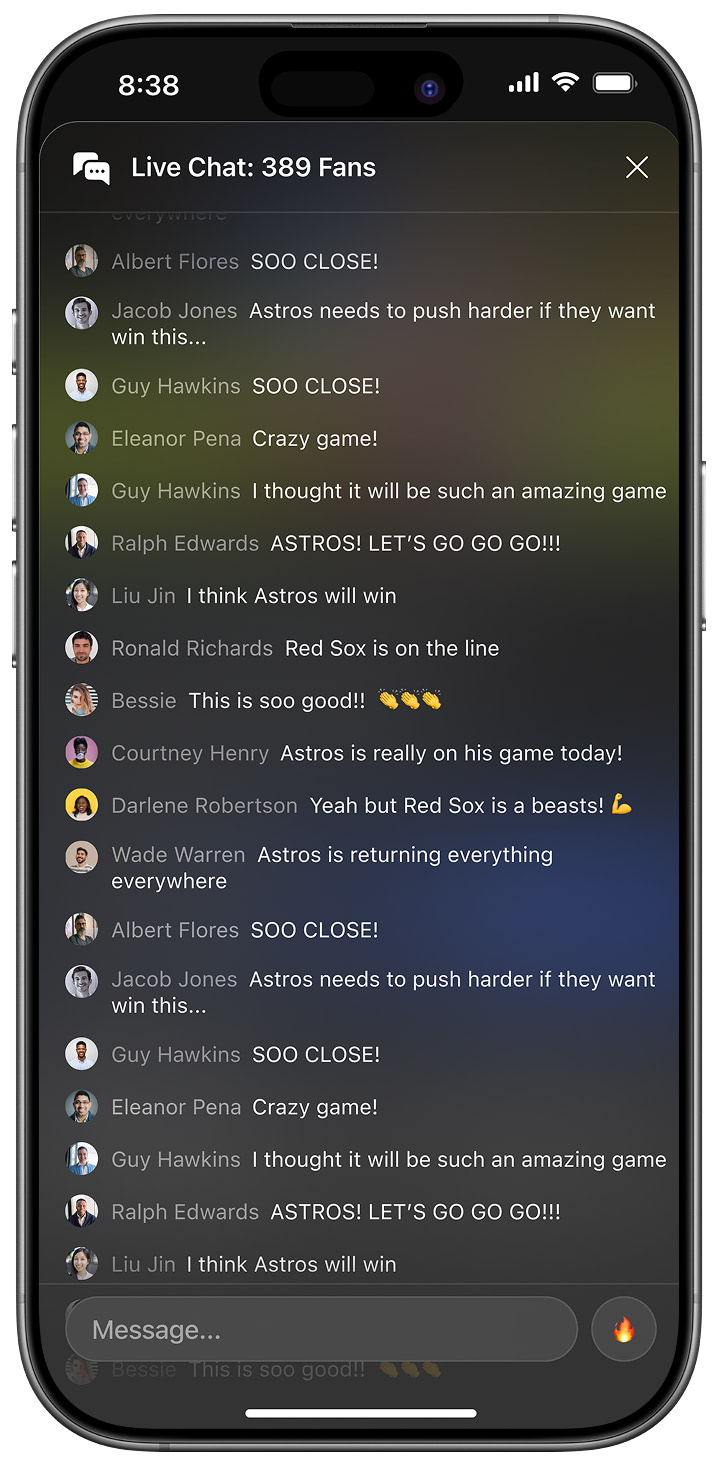
Full-Screen View
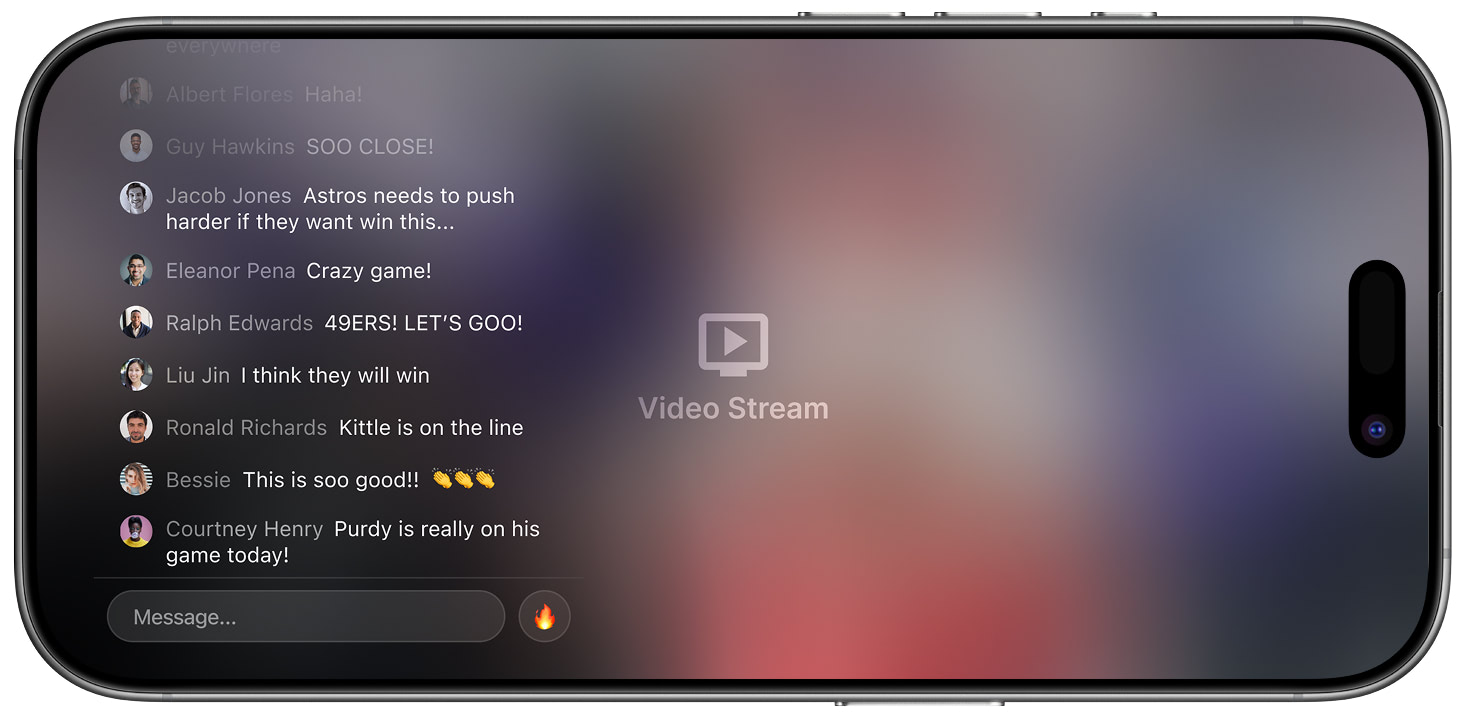
Landscape Full-Screen View
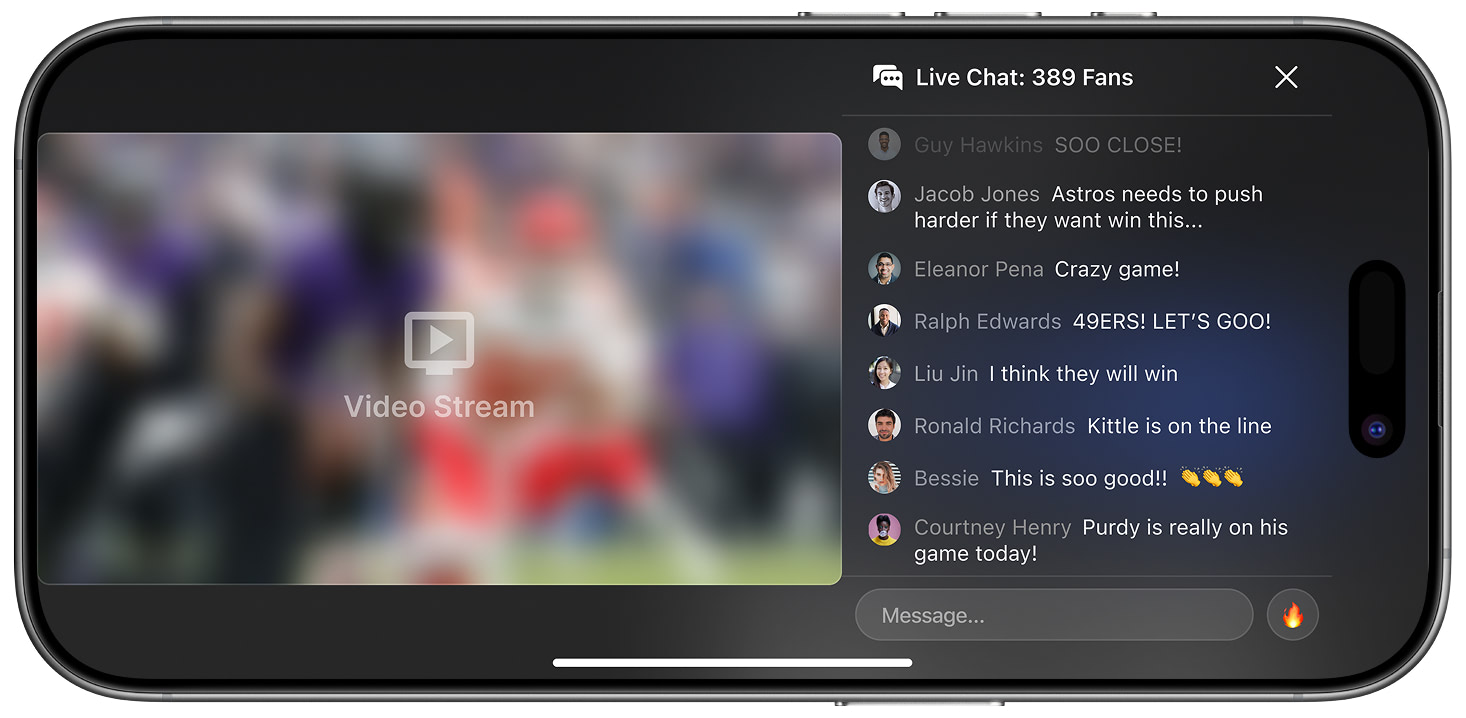
Landscape L-Bar View
Custom Styling (Android)
Public Chat supports custom attributes and themes on Android:
<!--Public chat -->
<attr name="slrPublicChatMessageSenderBackgroundColor" format="reference|color"/>
<attr name="slrPublicChatMessageReceiverBackgroundColor" format="reference|color"/>
<attr name="slrPublicChatMessageSenderTextColor" format="reference|color"/>
<attr name="slrPublicChatMessageReceiverTextColor" format="reference|color"/>
<attr name="slrPublicChatMessageAvatarSize" format="reference|dimension"/><style name="StreamLayerSDK_PublicChat" parent="StreamLayerSDK_AppTheme">
<item name="slrPublicChatMessageSenderBackgroundColor">@color/slr_blue80</item>
<item name="slrPublicChatMessageReceiverBackgroundColor">@color/slr_gray700_a15</item>
<item name="slrPublicChatMessageSenderTextColor">@color/slr_white</item>
<item name="slrPublicChatMessageReceiverTextColor">@color/slr_white</item>
<item name="slrPublicChatMessageAvatarSize">@dimen/slr_chat_message_avatar_size</item>
<item name="streamUiTheme">@style/SlStreamTheme</item>
</style>
<style name="SlStreamTheme" parent="@style/StreamUiTheme">
<item name="streamUiMessageListItemAvatarStyle">@style/StreamLayerSDK_MessageListAvatarTheme</item>
<item name="streamUiChannelListItemAvatarStyle">@style/StreamLayerSDK_ChannelListAvatarTheme</item>
</style>
<style name="StreamLayerSDK_MessageListAvatarTheme" parent="StreamUi.MessageList.Item.Avatar">
<item name="android:layout_width">@dimen/slr_chat_message_avatar_size</item>
<item name="android:layout_height">@dimen/slr_chat_message_avatar_size</item>
</style>
<style name="StreamLayerSDK_ChannelListAvatarTheme" parent="StreamUi.MessageList.Item.Avatar">
<item name="streamUiAvatarTextColor">@color/slr_white</item>
<item name="android:layout_width">@dimen/slr_contact_avatar</item>
<item name="android:layout_height">@dimen/slr_contact_avatar</item>
</style>
<array name="stream_ui_avatar_gradient_colors">
<item>@color/slr_avatar_turquoise</item>
<item>@color/slr_avatar_emerald</item>
<item>@color/slr_avatar_piter_river</item>
<item>@color/slr_avatar_amethyst</item>
<item>@color/slr_avatar_wet_asphalt</item>
<item>@color/slr_avatar_green_sea</item>
<item>@color/slr_avatar_nephritis</item>
<item>@color/slr_avatar_belize_holde</item>
<item>@color/slr_avatar_wisteria</item>
<item>@color/slr_avatar_midnight_blue</item>
<item>@color/slr_avatar_sunflower</item>
<item>@color/slr_avatar_carrot</item>
<item>@color/slr_avatar_alizarin</item>
<item>@color/slr_avatar_concrete</item>
<item>@color/slr_avatar_orange</item>
<item>@color/slr_avatar_pumpkin</item>
<item>@color/slr_avatar_pomegranate</item>
<item>@color/slr_avatar_silver</item>
<item>@color/slr_avatar_asbestos</item>
</array>Related
- Messaging — Private 1-on-1 and group conversations
Updated 7 months ago