
Push Notifications Guide
Set up push notifications for the StreamLayer Android SDK using Firebase Cloud Messaging. Upload FCM tokens, handle incoming messages, and configure notification channels.
Push Notifications Guide
The StreamLayer SDK supports push notifications via Firebase Cloud Messaging (FCM). Push notifications are used to notify users about incoming chat messages and Watch Party invitations.
Prerequisites
- Register your app on Firebase via the Firebase Console.
- Set up your host app to listen for new FCM messages and FCM tokens.
Integration with StreamLayer
To send push notifications to your host app device, StreamLayer requires an FCM token. Use StreamLayer.uploadFCMToken() to register the host app with the StreamLayer service. When push notifications are received, call StreamLayer.handlePush() to check if the notification should be processed by the StreamLayer SDK or by your host app.
Here is an example using your extended FirebaseMessagingService class:
import io.streamlayer.sdk.StreamLayer

class HostAppFirebaseMessagingService : FirebaseMessagingService() {

    override fun onNewToken(s: String) {
        super.onNewToken(s)

        // upload token to StreamLayer service
        StreamLayer.uploadDeviceFCMToken(application, s)
    }

    override fun onMessageReceived(remoteMessage: RemoteMessage) {

        // when push notification received, let StreamLayer SDK check if the push was sent from StreamLayer service.
        if (!StreamLayer.handlePush(application, remoteMessage.data)) {
            // if this was not a StreamLayer notification, handle your host app notifications
        }
    }
}
Notification Settings
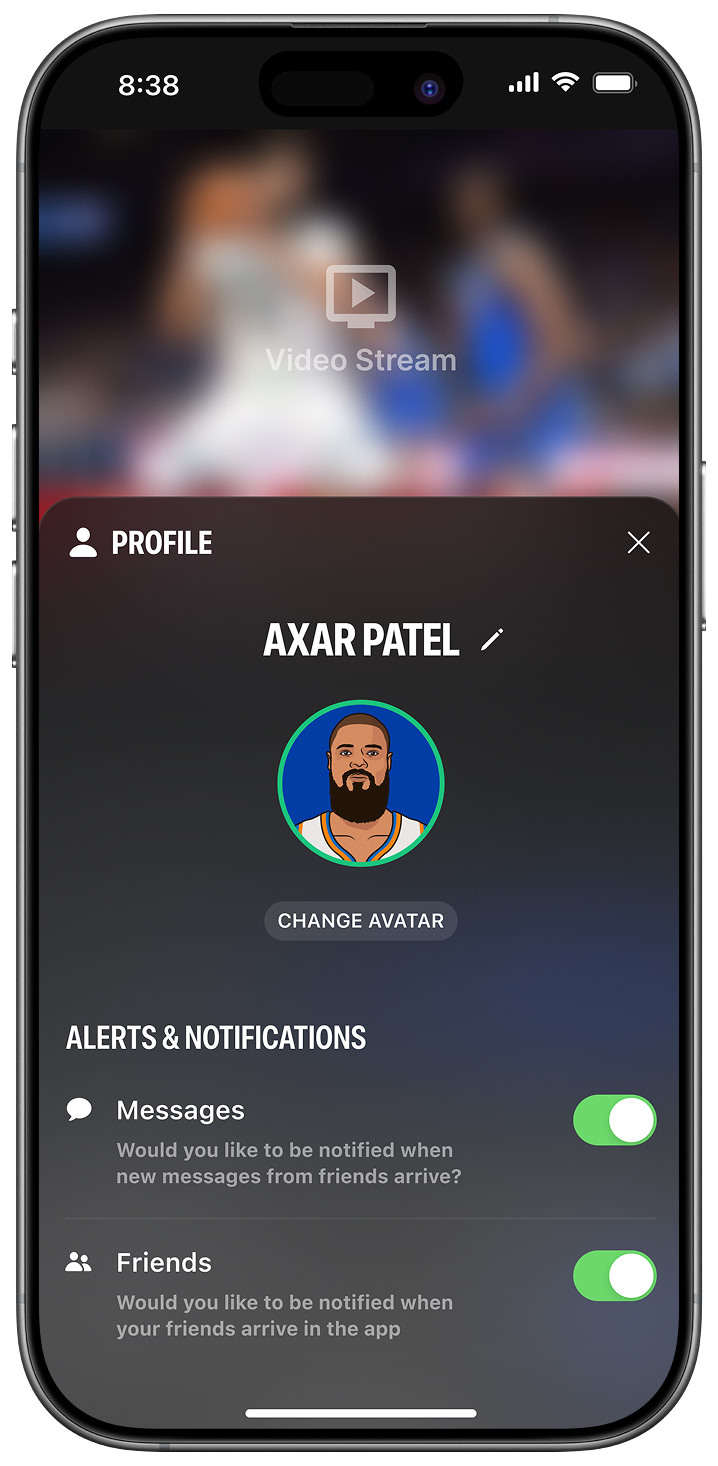
The StreamLayer SDK creates two notification channels in your app settings: StreamLayer and StreamLayer Watch Party. Users can also customize notification settings inside the StreamLayer Element.
Further Reading
When a user taps a notification, the host app opens by default. To set up deep linking so the user navigates directly to the StreamLayer Element, follow the Deep Linking Guide.
For a complete FirebaseMessagingService example, see the demo app.
Related
- Deep Linking Guide — Route notifications to the StreamLayer Element
- Invites Guide — Branch.io invite deep linking
Updated 7 months ago