
Managed Watch Party
Managed Group API
A new feature to the StreamLayer SDK is the Managed Group. A Managed Group is a special kind of Group(Watch Party and Chat) that is created and managed by the backend - you or your users cannot create a Managed Group from inside your application that uses the StreamLayer SDK. Before you get started, please check the backend API for the integration steps.
If you want to allow your users to be able to join a Managed Group, you will need to use the StreamLayer.createManagedGroupSession function when you create the session:
@Throws(RuntimeException::class)
StreamLayer.createManagedGroupSession(groupId:String, title:String?): SLRManagedGroupSession
When you call that function, it will return an instance of SLRManagedGroupSession interface. This is the entry point for the API of a Managed Group on the SDK side. The parameter groupId is the string value of the created group id, which you get from the backend.
Note: This function will throw RuntimeException in the following cases:
- The user is not authorized in StreamLayer SDK
- The
groupIdparameter is either empty or unknown - The user doesn’t have permissions to subscribe to a Managed Watch Party
SLRManagedGroupSession
SLRManagedGroupSession contains a couple of objects that describe supported features and internal data. These objects include:
- Participant - an object which provides access to the internal ID of SDK user’s, external ID(bypassId), which is provided by the host app during mapping api calls, and
Status.
data class Participant(val userId: String, val bypassId: String, val status: Status){
     enum class Status{PENDING, SUBSCRIBED, ON_CALL}
}
Each Participant can have a different Status:
PENDING - Participant is added to a Managed Group using our backend api, but is not subscribed yet - there is no active SLRManagedGroupSession for him;
SUBSCRIBED - Participant is subscribed to a Managed Group and listen updates - has an active SLRManagedGroupSession;
ON_CALL - Participant is subscribed to a Managed Group and is a member of active call;
- InfoMessage - object which provides access to our user's internal
userId, who sent a message, and content of message, which other participants are sending to you.
data class InfoMessage(val userId: String, val content: String, val date: Date)- State - object which access to
SLRManagedGroupSessionconnection state.
enum class State {
        INITIALIZED,
        SUSPENDED,
        RELEASED
    }
INITIALIZED - SLRManagedGroupSession is ready for use;
SUSPENDED - SLRManagedGroupSession is suspended because of network issues. It will be automatically reconnected during 30 seconds and move to INITIALIZED state or to RELEASED state;
RELEASED - SLRManagedGroupSession is released - you need to create a new instance;
- Event - object which provides access to different events of the Managed Group. Full description of all events see below:
Event.ParticipantsLoadedis triggered when a list of Participants will be loaded.Event.ParticipantUpdatedis triggered when the Participant'sStatuswill be changed.Event.SessionStateUpdatedis triggered when theStateof theSLRWatchPartySessionwill be changed.
SLRManagedGroupSession functions
SLRManagedGroupSession contains a couple of functions, which allow you to communicate and get updates from other group participants, show the UI overlays, etc. Full description of all functions see below:
- Get ID of group:
fun getGroupId(): StringThis function returns the ID of the Managed Group.
- Get title of group:
fun getTitle(): StringThis function returns the title of the Managed Group.
- Get all participants of the group:
@Throws(RuntimeException::class)
fun getParticipants(): List<Participant>
This function returns all participants of the Managed Group. This function will throw RuntimeException if SLRWatchPartySession state is RELEASED.
- Subscribe to group updates:
@Throws(RuntimeException::class)
fun getEvents(): Flow<Event>
This function returns Kotlin Flow, which allows you to subscribe and get updates. Check Event object definition above to get know when each event will be triggered. This function will throw RuntimeException if SLRManagedGroupSession state is RELEASED.
- Send a info message to all subscribed participants:
@Throws(RuntimeException::class)
suspend fun sendInfoMessage(content: String): Boolean
The parameter 'content' is the string value which you want to send to other participants. This function is a Kotlin suspend function, which can be safely called from any CoroutineScope. This function returns true if a message was sent, otherwise return false. This function will throw RuntimeException if SLRManagedGroupSession state is RELEASED.
- Subscribe to messages updates:
@Throws(RuntimeException::class)
fun getInfoMessages(): Flow<InfoMessage>
This function returns Kotlin Flow, which allows you to subscribe and get updates. This function will throw RuntimeException if SLRManagedGroupSession state is RELEASED.
Note: SDK doesn't persist messages between subscriptions. For example: if you subscribe to a Managed Group, get InfoMessage1 and InfoMessage2, unsubscribe from a Managed Group and then subscribe again, you will not get
InfoMessage1 and InfoMessage2 - only new messages when they will be sent(InfoMessage3, InfoMessage4, etc).
- Open Watch party UI overlay:
@Throws(RuntimeException::class)
fun showWatchParty(activity: FragmentActivity, resetHistory: Boolean)
The parameter activity is the FragmentActivity of your application, which contains StreamLayerFragment.
The parameter resetHistory indicates if navigation history should be cleared before opening new screen.
This function will throw RuntimeException if SLRManagedGroupSession state is RELEASED.
- Open Chat UI overlay:
@Throws(RuntimeException::class)
fun showChat(activity: FragmentActivity, resetHistory: Boolean)
The parameter activity is the FragmentActivity of your application, which contains StreamLayerFragment.
The parameter resetHistory indicates if navigation history should be cleared before opening new screen.
This function will throw RuntimeException if SLRManagedGroupSession state is RELEASED.
- Unsubscribe from Managed Group and release unused resources:
fun release()Don't forget to call this function when you want to unsubscribe from a group - it's required for getting other participants to know that the current user leaves the Managed Group.
Note: If you call this function during an active call it will stop the call first and then unsubscribe from the Managed Group and release unused resources.
- Get
StateofSLRManagedGroupSession:
fun getState(): StateThis function will return State of the SLRManagedGroupSession.
Note: If session is released you need to call StreamLayer.createManagedGroupSession function again and subscribe to updates.
- Get current user ID:
@Throws(RuntimeException::class)
fun getCurrentUserId(): String
This will return current user ID or will throw RuntimeException if SLRManagedGroupSession state is RELEASED.
Managed Group Integration Guide
Now that you know all about the Managed Group, this integration guide will walk you through integrating it into your application step by step.
Before starting, you should configure the StreamLayer SDK with our Integration Guide.
Step 1: Get the user authenticated with StreamLayer using Authentication forwarding
StreamLayer.setExternalAuthEnabled(true) // call after SDKs init
StreamLayer.authorizationBypass("schema", "token")
Step 2: Create a Managed Group Session
try {
    // you should create and store session
    var session = StreamLayer.createManagedGroupSession(groupId, "group_title")
} catch (e: Throwable) {
    // catch error
}
Step 3: Draw the Indicator
Your user is now subscribed to all changes of the created Managed Group. Draw Watch Party and Chat buttons like in the picture below.
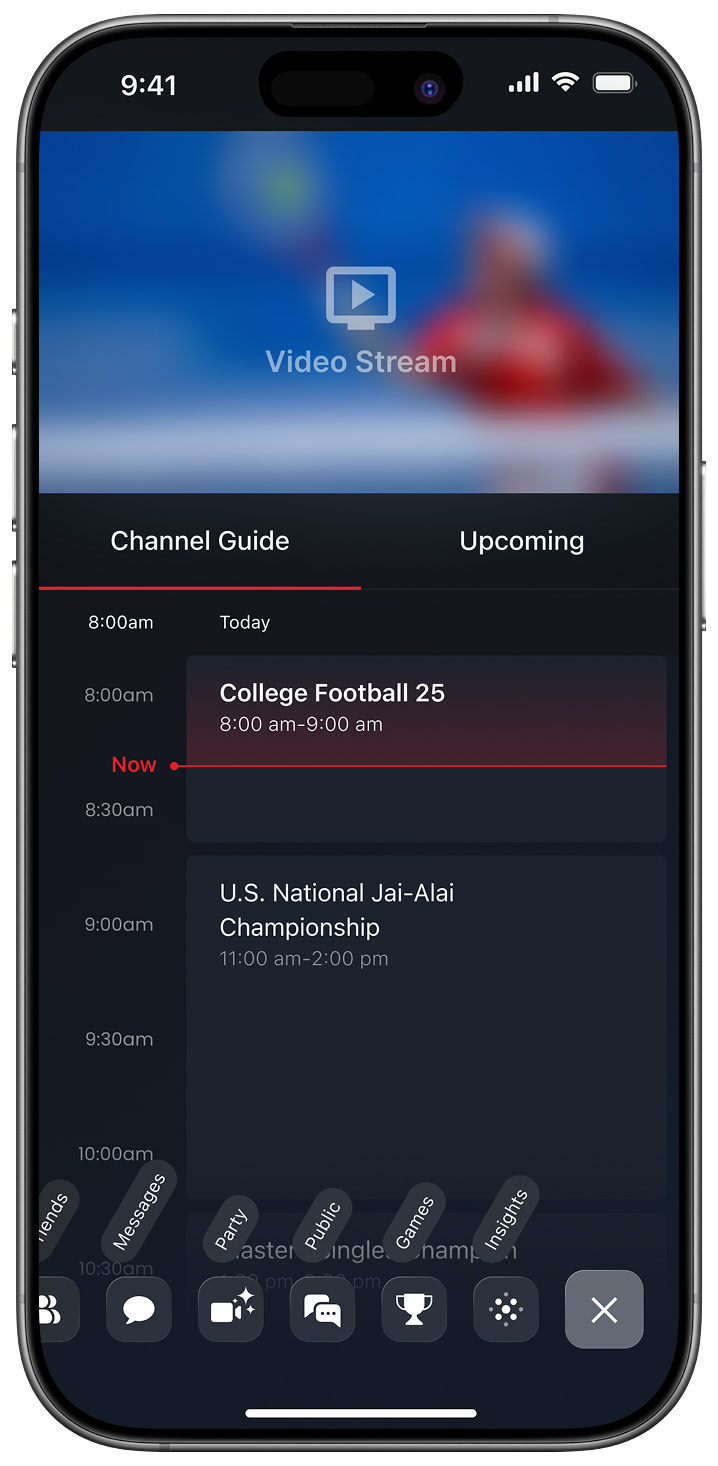
Pressing on these buttons should lead you to the Watch Party/Chat overlays with users by calling the following code:
session.showWatchParty(activity) // show Watch party overlay
session.showChat(activity) // show Chat overlay
Step 4: To send a message to the Managed Group, execute the following:
session.sendInfoMessage("message")Step 5: Subscribe to messages
You may subscribe to a new InfoMessage stream by calling the following code:
session.getInfoMessages().collect{
    // process new info message here
}
If you need to detect what user the message belongs to, you can use the session.getCurrentUserId() function. This function will return current user ID of the Managed Group.
Step 6: Subscribe to events
You may subscribe to a new Event stream by calling the following code:
session.getEvents().collect{
    // process new event here
}
You can find description of all possible events above on this guide in API section. Most of them related to Participant updates - they will be triggered when someone will be added/removed to managed watch party or subscribed/unsubscribed from it. You can also call session.getParticipants() function to get list of participants with actual statuses immediately when you need it.
Step 7: Release the Session
When you need to close the current Managed Group Session, please use the following code:
session.release()This function will unsubscribe from the Managed Group and release unused resources. You can also check State of Managed Group by calling the following code:
session.getState()Updated 6 months ago