
AI Assistant
Use the AI Assistant in StreamLayer Studio to auto-generate polls, trivia questions, and insights. Review AI-created cards in Drafts before activation.
To help with generation of content, StreamLayer Studio offers an AI Assistant capability to automatically create polls, trivia questions, and insights. StreamLayer's backend is integrated with Omnicom Chat GPT 4 API to power this feature.
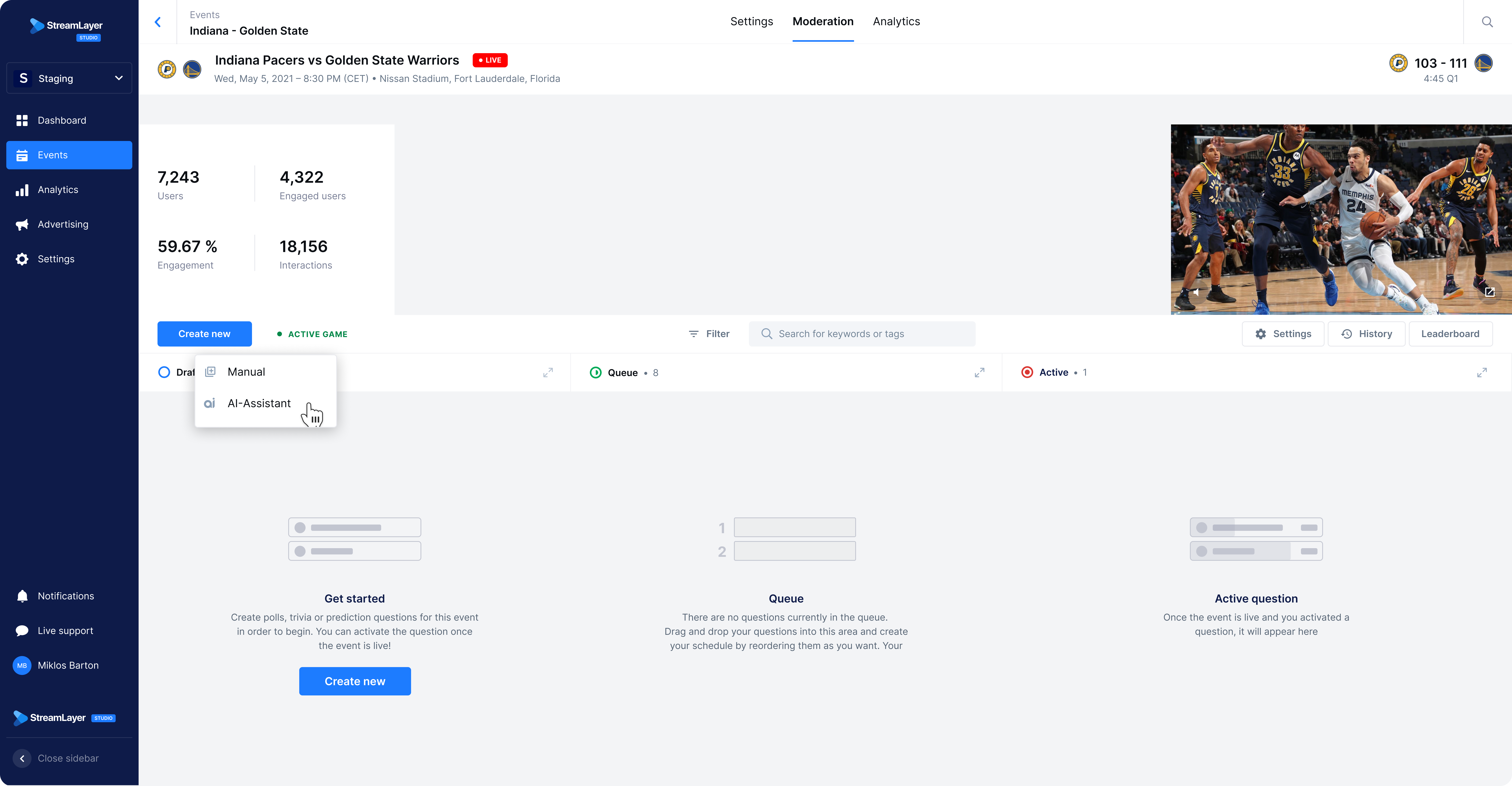
To create a new card using the AI Assistant, first click 'Create New' and choose 'AI Assistant. Moderators can choose which to create: Poll, Trivia, or Insight.
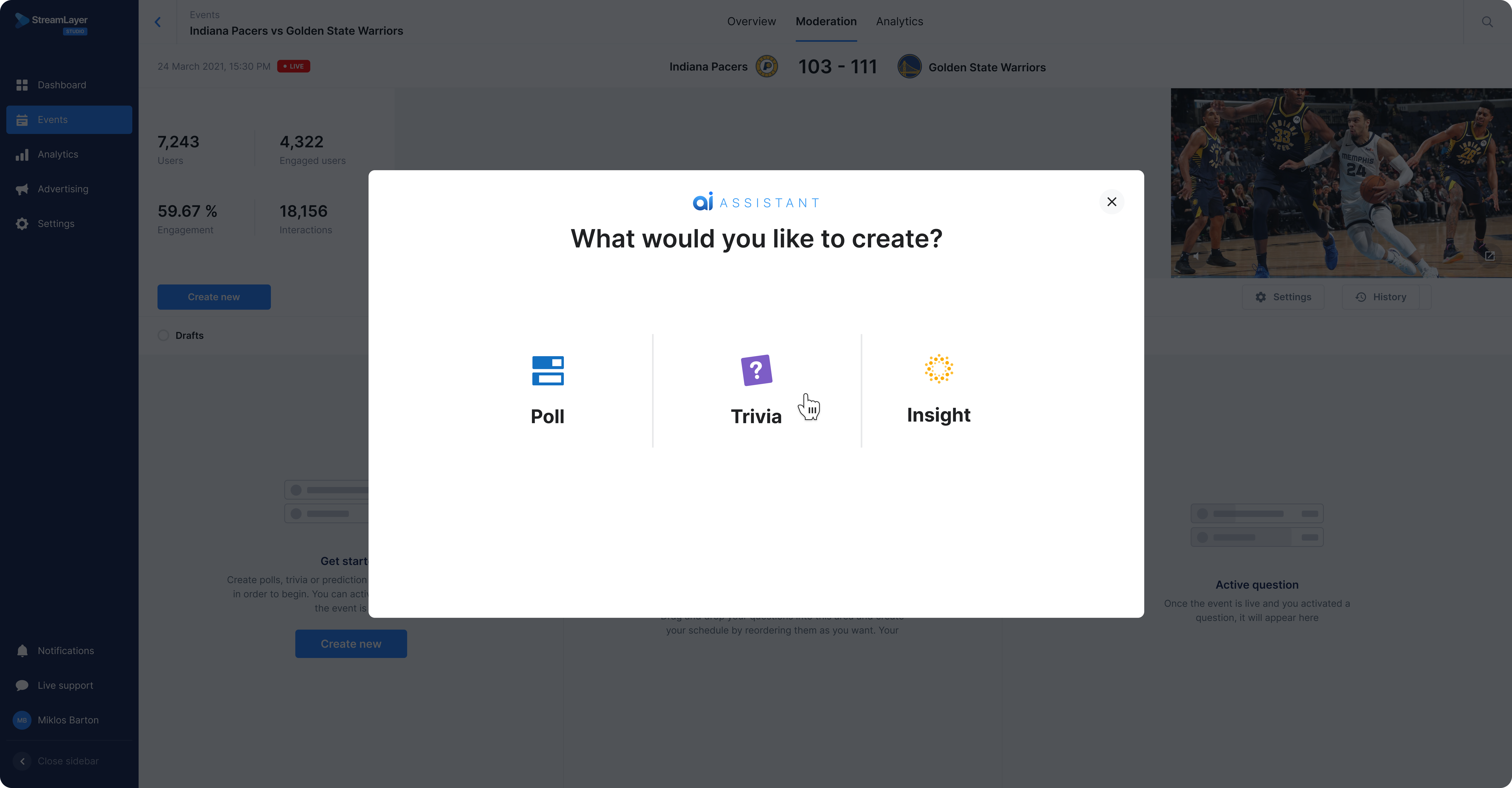
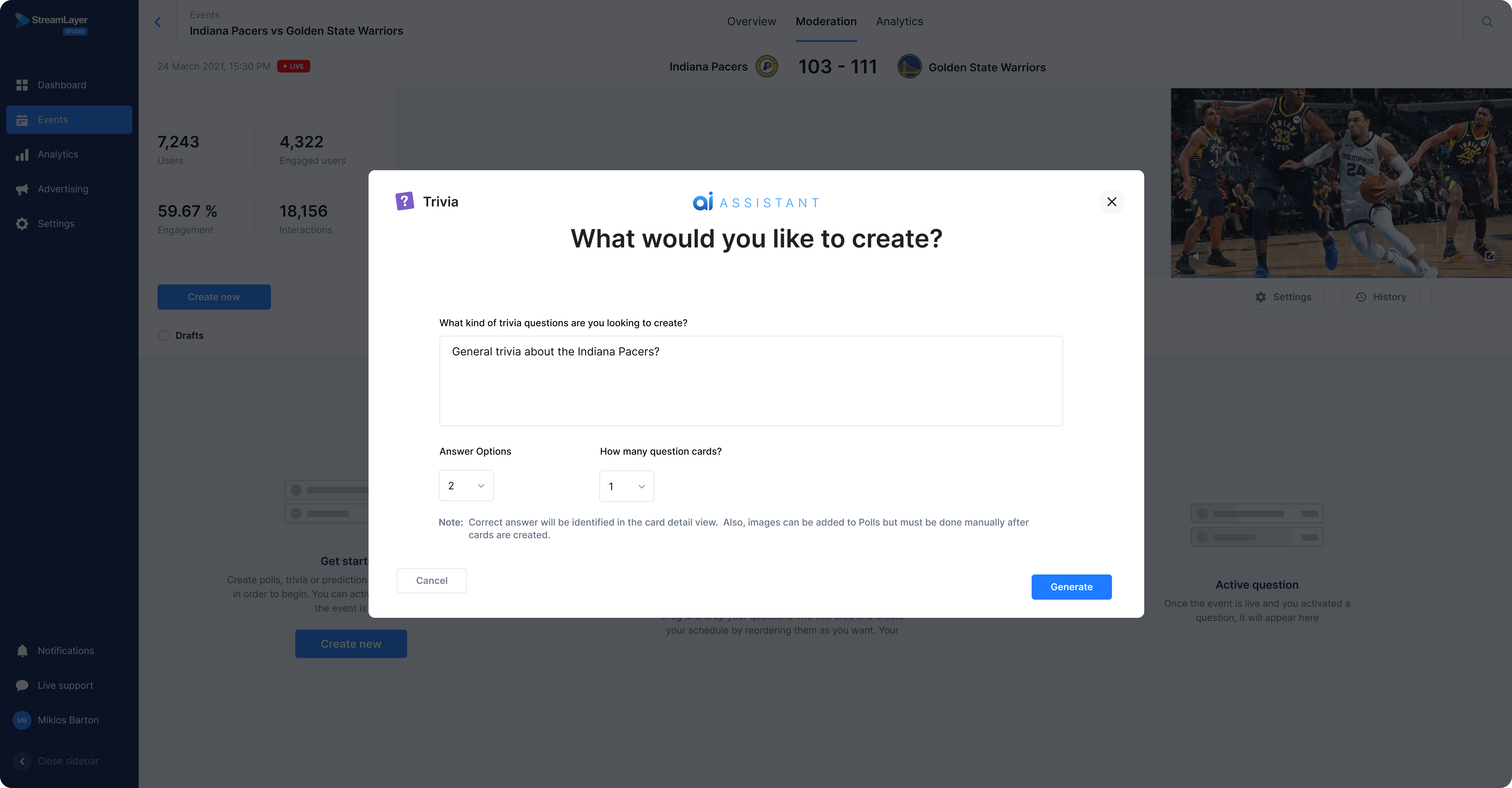
Next, follow the prompts to indicate the type of content you want to generate and the number of questions and answer options.
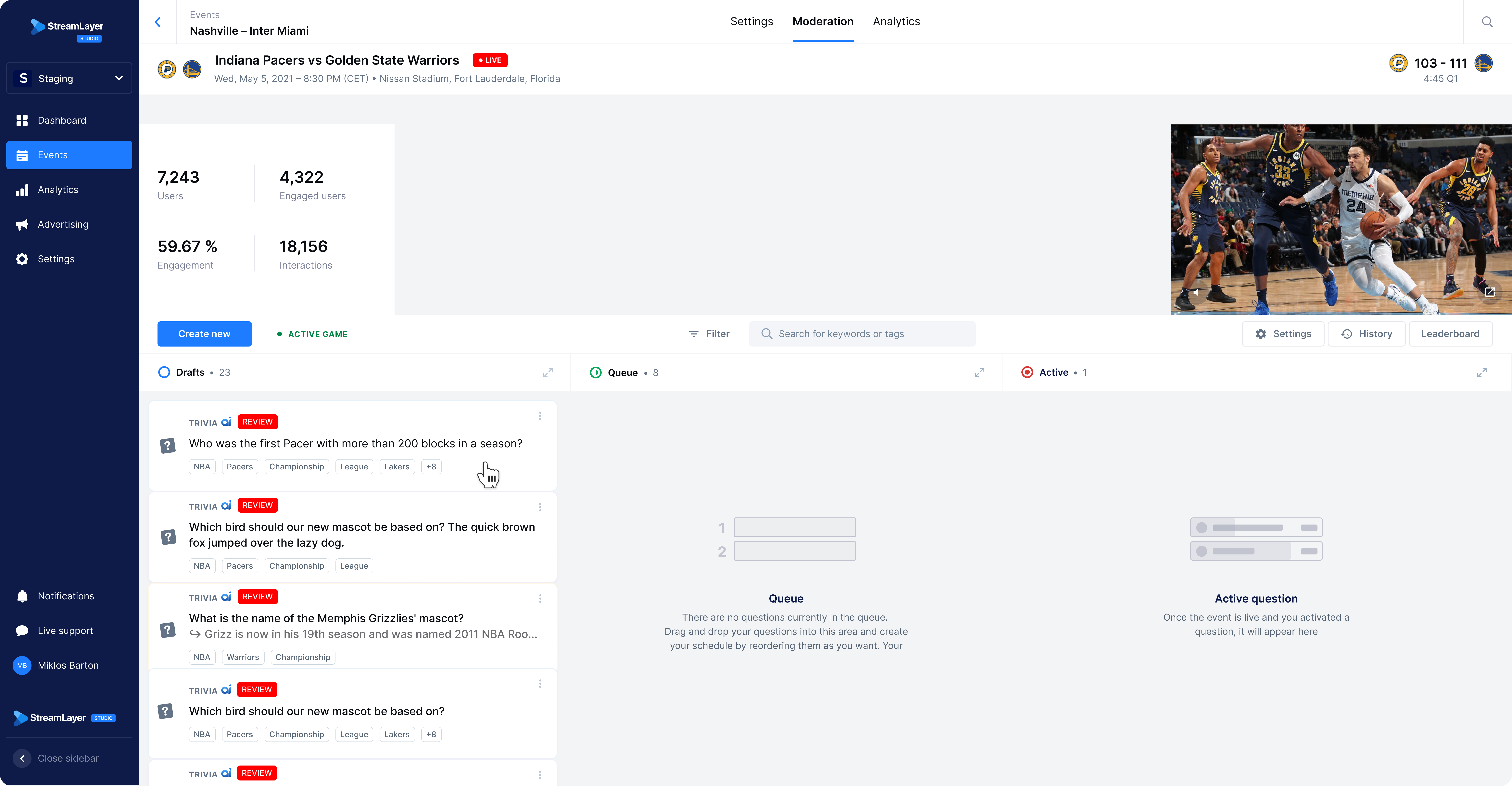
After clicking generate, moderators will receive a toast message in the lower right corner of the screen indicating AI is thinking behind the scenes. Once all new cards are created, they will appear in the Drafts column with a Review tag and AI Assistant icon, indicating they were AI generated. To review content, click into the card and edit as you see fit or set an Event Trigger on that tab at the top. Once saved, the Review tag will disappear and moderators can Activate that card manually, via event trigger, or auto-post (see below.)
Related
- Automation Capabilities — Overview of all automation features
- Event Triggers — Auto-activate cards from live stats feeds
- Auto-Post overview — Understand cadence-based activation of queued content
Updated about 1 month ago