
Invites Guide (Branch.io)
Set up Watch Party invitations using Branch.io deep links in the StreamLayer iOS SDK. Configure universal links, handle invite data, and integrate with the SLRInviteData protocol.
Note: This guide covers Branch.io integration for Watch Party invitations. See the StreamLayer Studio Invites documentation for additional context.
An additional Deep Linking function of the StreamLayer SDK is the way we integrate Branch.io to invite users.
- Create a new account on Branch.io or use your existing account. Integrate Branch SDK according to official documentation.
- Enable universal linking. To do this you will need to enable Associated Domains in the Apple Member Center for your Bundle ID under the Capabilities tab of your project (see screenshot below).
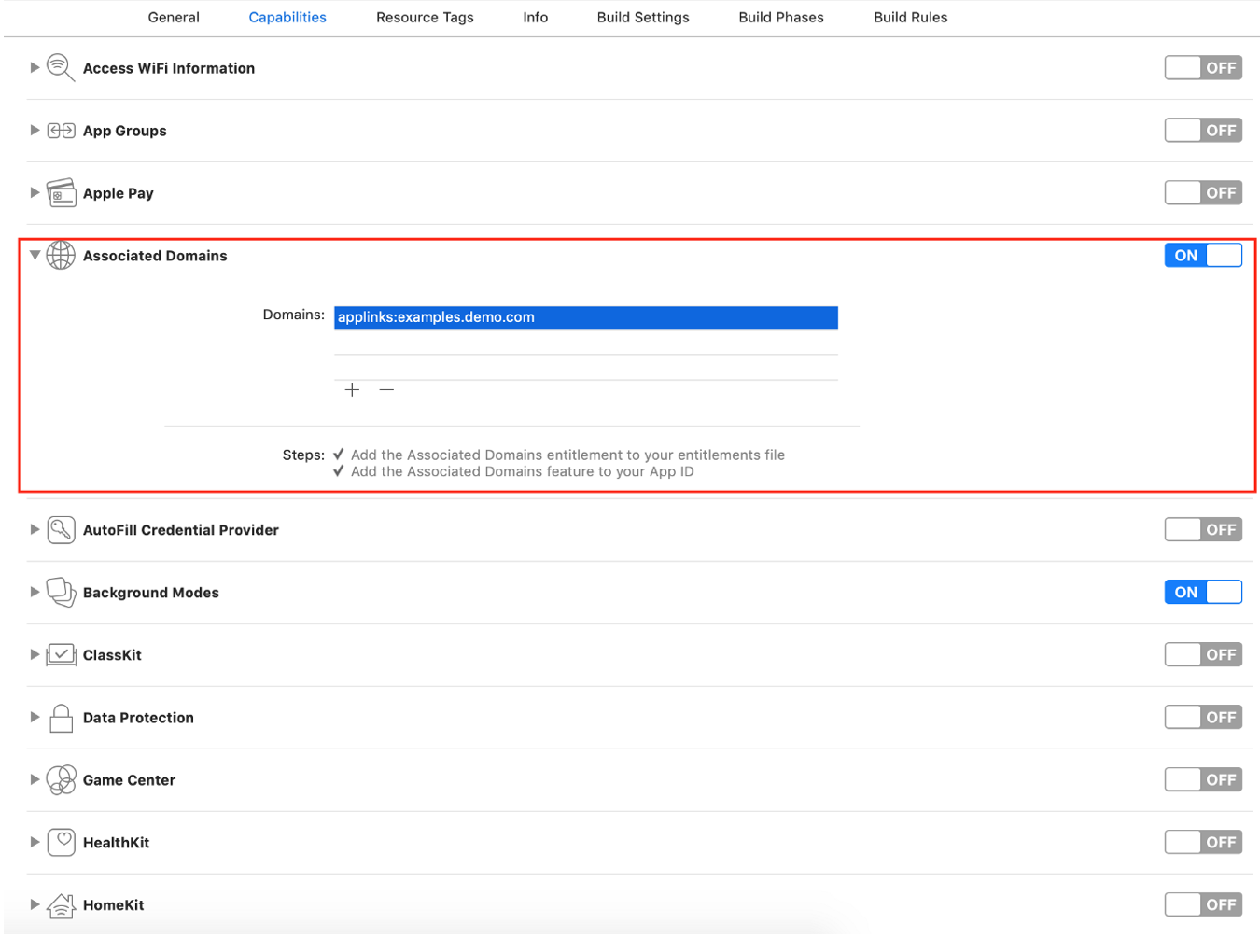
Note to support app links, the keyword 'applinks' must be before the domain, like the example shows in the screenshot above.
- Add branch key support by copying the
branch_keyvalue into info.plist. You can find your Branch key by logging into your Branch Dashboard
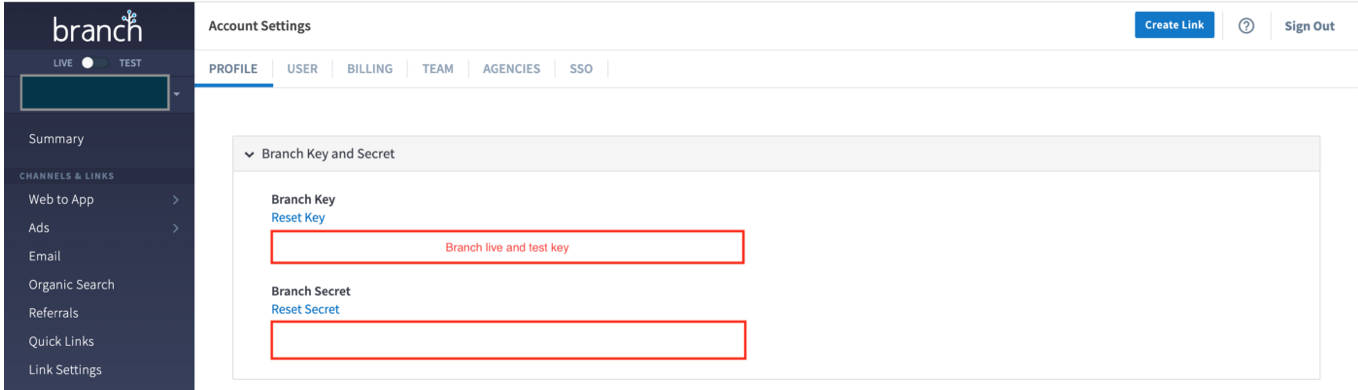
The 'branch_key' value is a string you will need to add to your info.plist as shown in the screenshot below.
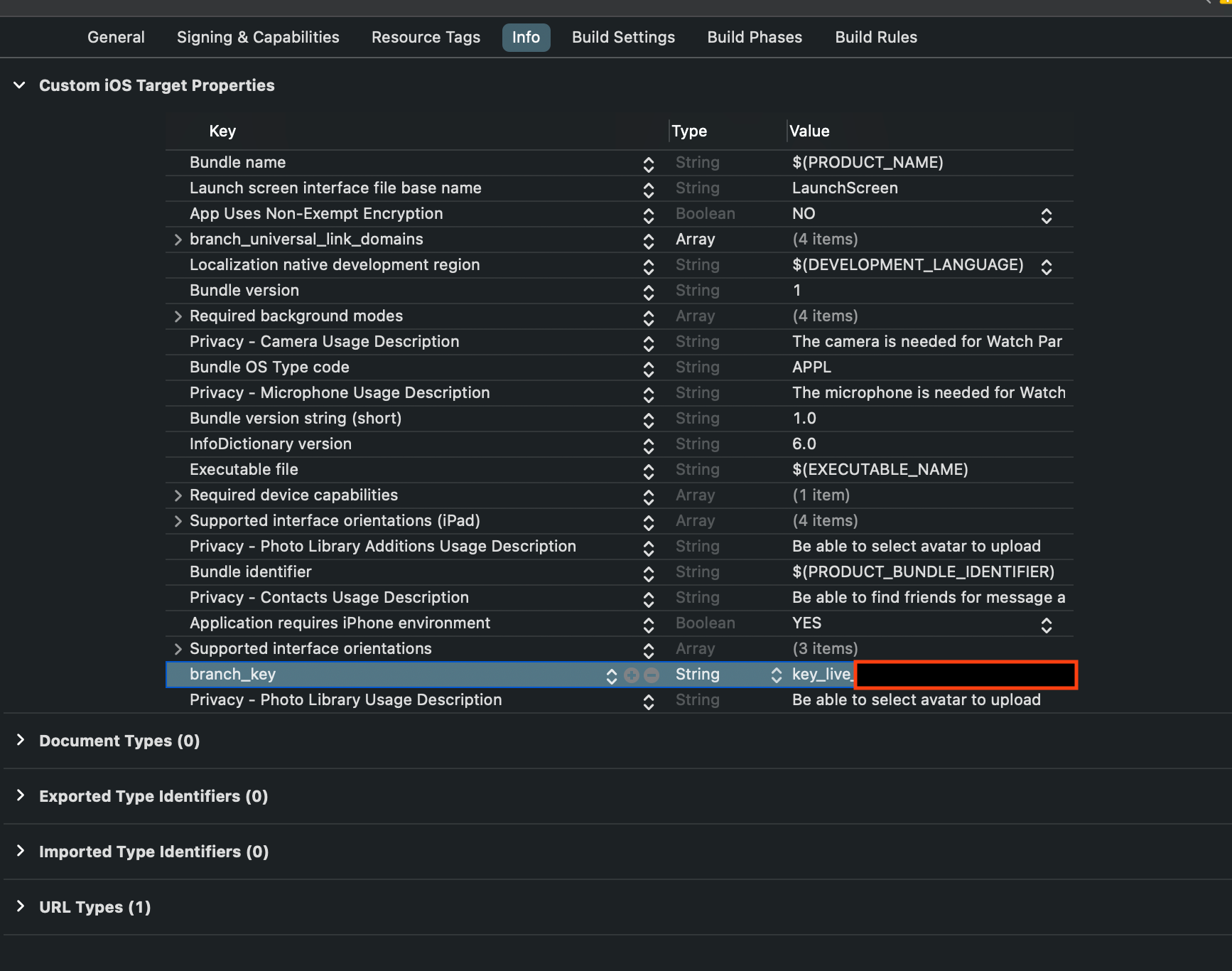
- Add BranchIO link domain support by copying your domain name from your Branch Dashboard
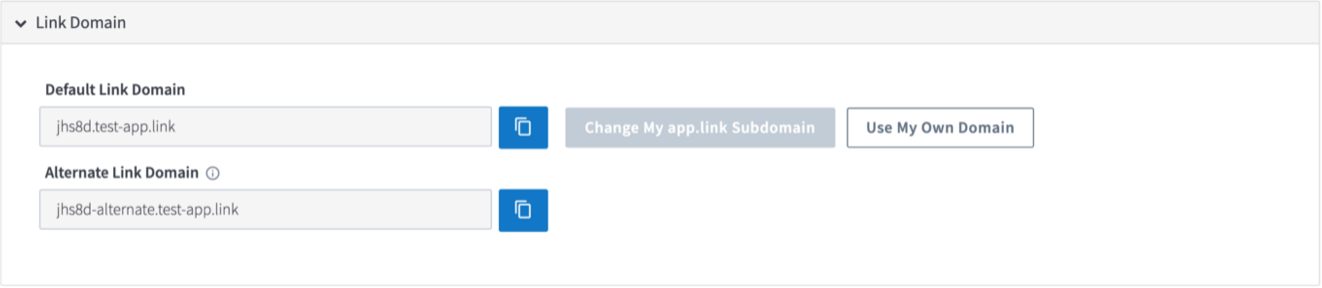
Back in Xcode, switch to the Capabilities tab and in the domain section click on the + to add the new domain in the format as shown below. Please make sure that xxxx matches your domain EXACTLY.
applinks:xxxx.app.link
applinks:xxxx-alternate.app.link
applinks:xxxx.test-app.link
applinks:xxxx-alternate.test-app.link
This action will add the following keys to your info.plist
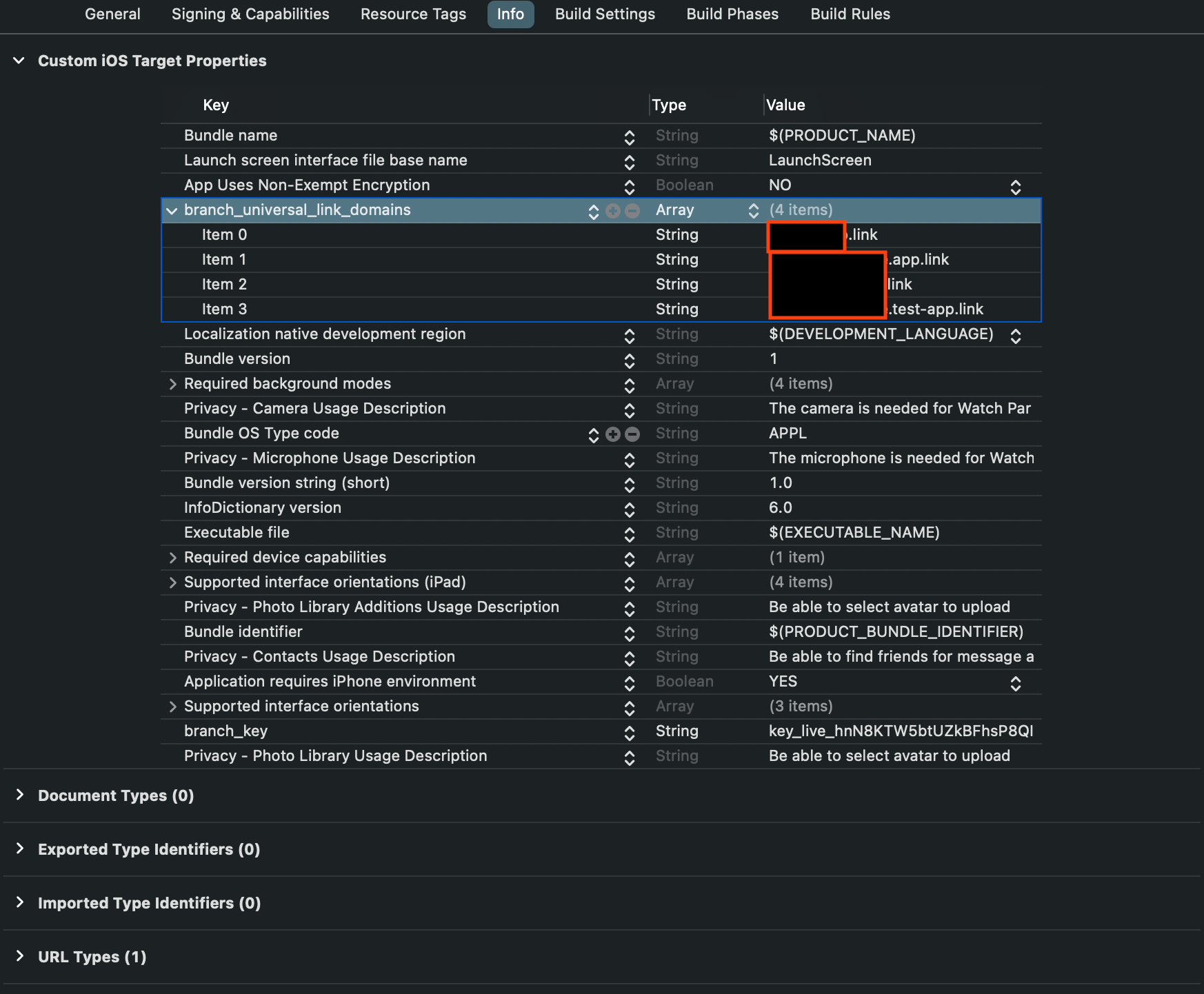
- Call
Branch.getInstance().initSession(launchOptions: launchOptions)after StreamLayer SDK has been initialized in the:
func application(
    _ application: UIApplication,
    didFinishLaunchingWithOptions launchOptions: [UIApplication .LaunchOptionsKey: Any]?
  ) -> Bool {

  /// your code
  /// StreamLayer SDK initialization
    Branch.getInstance().initSession(launchOptions: launchOptions) { (params, _) in
      if StreamLayer.handleDeepLink(params: params) {
        // handled by StreamLayer
      } else {
        // otherwise, handle the link inside you app
      }
    }
  return true
}- The final step is registering Branch.io in the project by implementing the following function call in AppDelegate.swift
// MARK: App Links
  func application(_ app: UIApplication, open url: URL, options: [UIApplication.OpenURLOptionsKey: Any] = [:]) -> Bool {
    return Branch.getInstance().application(app, open: url, options: options)
  }

  // MARK: Universal Links
  func application(_ application: UIApplication,
                   continue userActivity: NSUserActivity,
                   restorationHandler: @escaping ([UIUserActivityRestoring]?) -> Void) -> Bool {
    return Branch.getInstance().continue(userActivity)
  }
There is one more step to complete the integration process. If you would like new users that are invited to a StreamLayer host application Watch Party, your application will have to implement the following function in your AppDelegate class
func inviteHandled(invite: SLRInviteData, completion: @escaping (_ cancel: Bool) -> Void)SLRInviteData
StreamLayer notifies the host application about accepted Watch Party invites and the associated stream ID (if any). It is expected that the host application will navigate to the appropriate streaming page and call a complete handler that indicates to the StreamLayer SDK that it is time to show the prompt to join the Watch Party.
The incoming data is found in the SLRInviteData type:
/// Contains stream id that was associated with a watch party at the time of creation
public let eventId: String?
/// Contains watch party group id
public let watchPartyGroupId: String?
/// Contains user id that created the invite
public let userId: String
/// Contains tinode user id that created the invite
public let tinodeUserId: String
/// Contains public username of the user who created the invite
public let username: String
/// Contains URL to the avatar of the user who created the invite
public let avatar: URL?
Related
- Deep Linking Guide — Push notification deep linking
- Watch Party — Overview of the Watch Party feature
- Demo App Reference — Full integration example
Updated 8 months ago